
The URLs Were Bothering Me
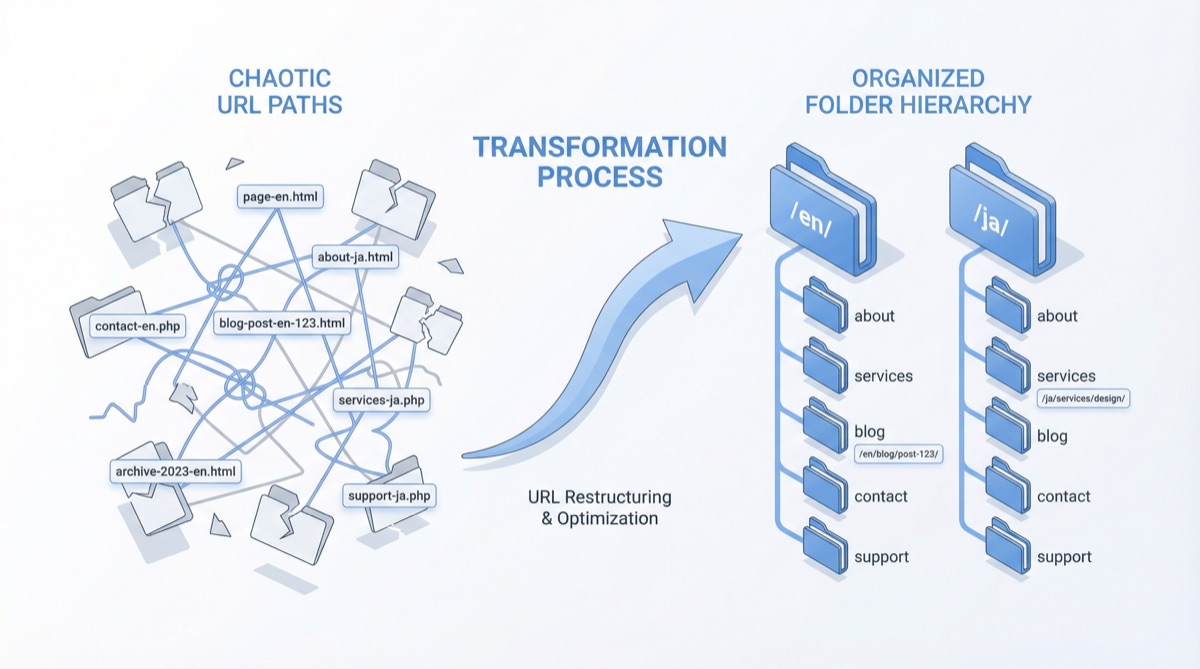
This blog supports three languages: Korean, English, and Japanese. But the URL structure was a bit off.
Korean:   /2026/02/21/claude-code-1m-cost-reality/
English:  /2026/02/21/claude-code-1m-cost-reality-en/
Japanese: /2026/02/21/claude-code-1m-cost-reality-ja/
The -en suffix tacked on to every English post URL — not great. Google also recommends using subdirectory structures like /en/ for language-specific content. And the longer I waited, the more posts would pile up, making it even harder to fix later.
Here’s what I wanted:
graph LR
    subgraph Before
        A["/date/slug/"] --- B["Korean"]
        C["/date/slug-en/"] --- D["English"]
        E["/date/slug-ja/"] --- F["Japanese"]
    end
    subgraph After
        G["/date/slug/"] --- H["Korean"]
        I["/en/date/slug/"] --- J["English"]
        K["/ja/date/slug/"] --- L["Japanese"]
    end
Fixed It with permalink + redirect_from
Jekyll lets you set a permalink for each post. I added this to every English and Japanese post’s front matter:
# English post front matter
permalink: /en/:year/:month/:day/:title/
redirect_from:
  - /2026/02/21/claude-code-1m-cost-reality-en/
permalink sets the new URL, and redirect_from ensures the old URL redirects automatically. This requires the jekyll-redirect-from plugin, which GitHub Pages officially supports — just one line in _config.yml.
# _config.yml
plugins:
  - jekyll-redirect-from
Next, I updated the hreflang tags in _layouts/default.html:
<!-- Before -->
<link rel="alternate" hreflang="en" href="https://realcoding.blog-en/" />

<!-- After -->
<link rel="alternate" hreflang="en" href="https://realcoding.blog/en-en/" />
The real grunt work, though, was updating 152 hardcoded links in the post bodies. Every English post referencing another English post was using the old URL format.
<!-- Before -->
[Escaping Compacting Hell](/2026/02/20/claude-code-1m-context-review-en/)

<!-- After -->
[Escaping Compacting Hell](/en/2026/02/20/claude-code-1m-context-review-en/)
Final tally: 140 files changed, 569 insertions, 154 deletions. Quite the operation.
Then Pagination Broke
After restructuring the URLs, pagination became an issue. Jekyll’s jekyll-paginate plugin only works in the root directory (/). This is a well-known limitation.
It worked fine on the Korean homepage (/), but on /en/ and /ja/, the paginator object simply doesn’t exist. No server-side Liquid solution was possible.
Rewrote It in JS
So I switched to client-side JavaScript pagination entirely. The concept is straightforward:
- Render all posts in the HTML via Liquid
- JS shows/hides them in groups of 10 using
display: none/block - Page state managed through
?page=2URL parameters
Here’s the core logic:
(function() {
  var POSTS_PER_PAGE = 10;
  var posts = document.querySelectorAll('.posts-list .post-item');
  if (posts.length <= POSTS_PER_PAGE) return;

  var totalPages = Math.ceil(posts.length / POSTS_PER_PAGE);
  var params = new URLSearchParams(window.location.search);
  var currentPage = parseInt(params.get('page')) || 1;

  function showPage(page) {
    var start = (page - 1) * POSTS_PER_PAGE;
    var end = start + POSTS_PER_PAGE;
    for (var i = 0; i < posts.length; i++) {
      posts[i].style.display = (i >= start && i < end) ? '' : 'none';
    }
  }
  showPage(currentPage);
})();
This same script goes into index.html, en/index.html, and ja/index.html. Multilingual labels were added to _data/*.yml:
# _data/en.yml
posts:
  prev_page: "Previous"
  next_page: "Next"
Previously, only Korean had pagination via /page2/, /page3/. Now all three languages use the unified ?page=2 approach.
Wrap-up
Set your URL structure early, before posts accumulate. Changing it later means touching 140+ files. And if you’re running a multilingual Jekyll blog, skip jekyll-paginate for non-root pages — client-side JS is the pragmatic choice.